
Packs
Open card packs and Arena Boxes, and get better cards.
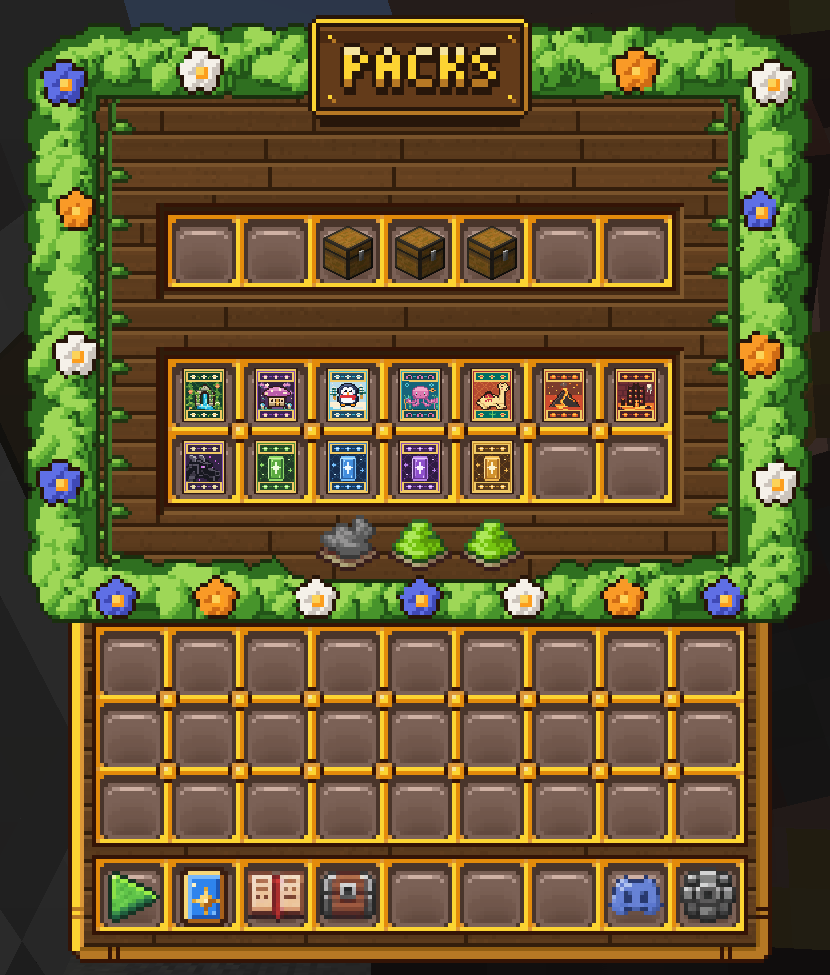
Your card packs and boxes are kept in Pack Storage. Open it with /packs, or click the chest at the top of /storage.
Card Packs
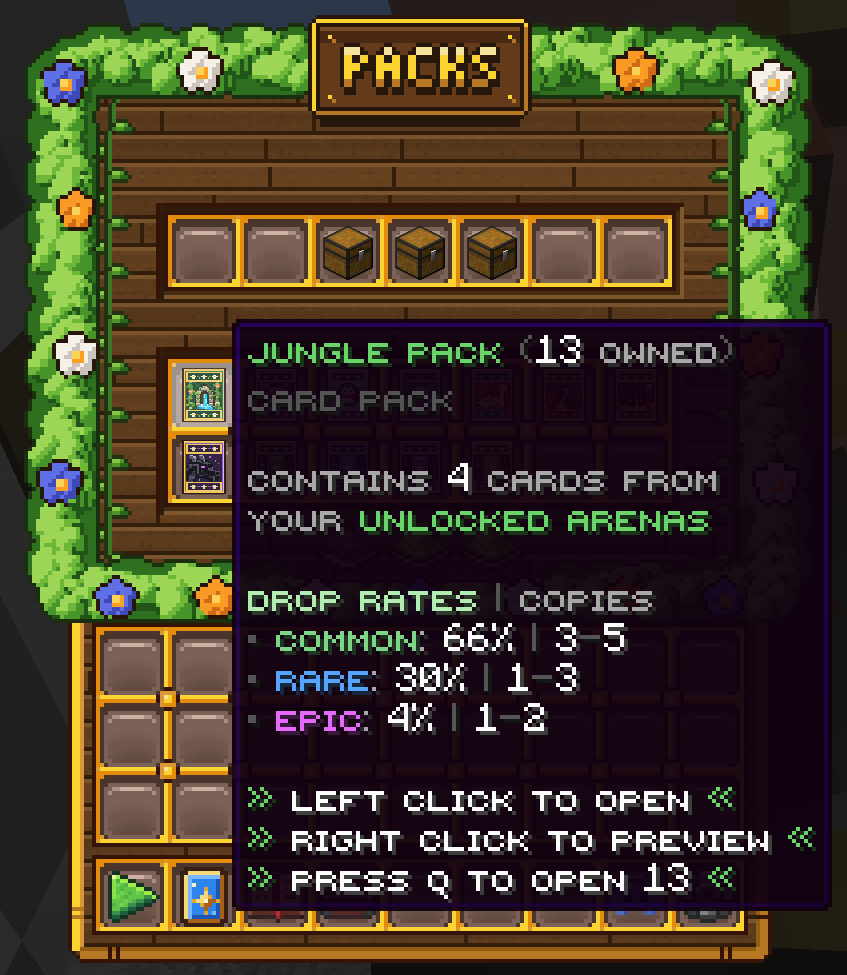
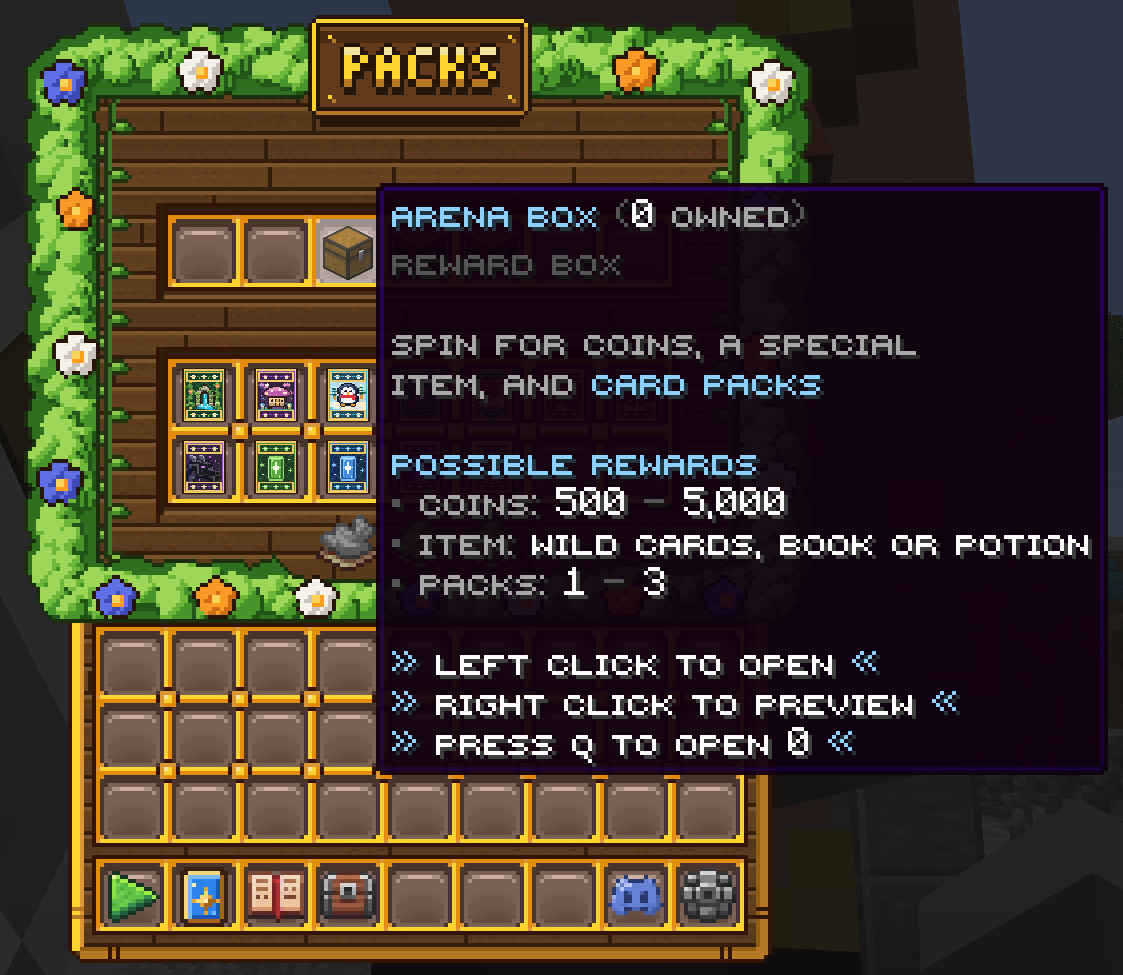
Card packs are the main way to get the cards you need to level up your collection. Each arena has its own pack, and every pack gives you cards from your unlocked arenas. Packs from higher arenas hold more cards and better odds. Hover any pack to see how many you own, its drop rates, and how many copies you can get.
- Left-click a pack to open it.
- Right-click to preview what's inside.
- Press Q to open every pack of that type at once.
Boxes
Boxes are a spin for coins, a special item (such as Wild Cards, an Upgrade Book or a Potion) and card packs. Hover a box to see its possible rewards.
Open and preview them the same way as card packs.
Pack Settings
The three buttons at the bottom of Pack Storage change how your packs open. Click one to switch it:
- Auto Open: new packs open automatically, or wait until you open them. Note: turning Auto Open on will also open every pack currently in your storage.
- Animations: packs open with a full reveal, or instantly.
- Action Bar: show or hide the opening controls during the animation.
Getting More Packs
Packs drop from match rewards. Pack Drops boosters make them drop more often, Pack Rarity boosters improve your odds of rarer cards, and Extra Cards boosters add bonus cards to every pack. You can also earn packs in the battle pass and milestone rewards. See the Boosters guide and the Storage guide.
