
Match Replays
Rewatch your last 14 games to relive your highlights and improve.
Rewatch your recent battles to relive your highlights or learn from your mistakes. Open your match history with /matches.
Your Matches
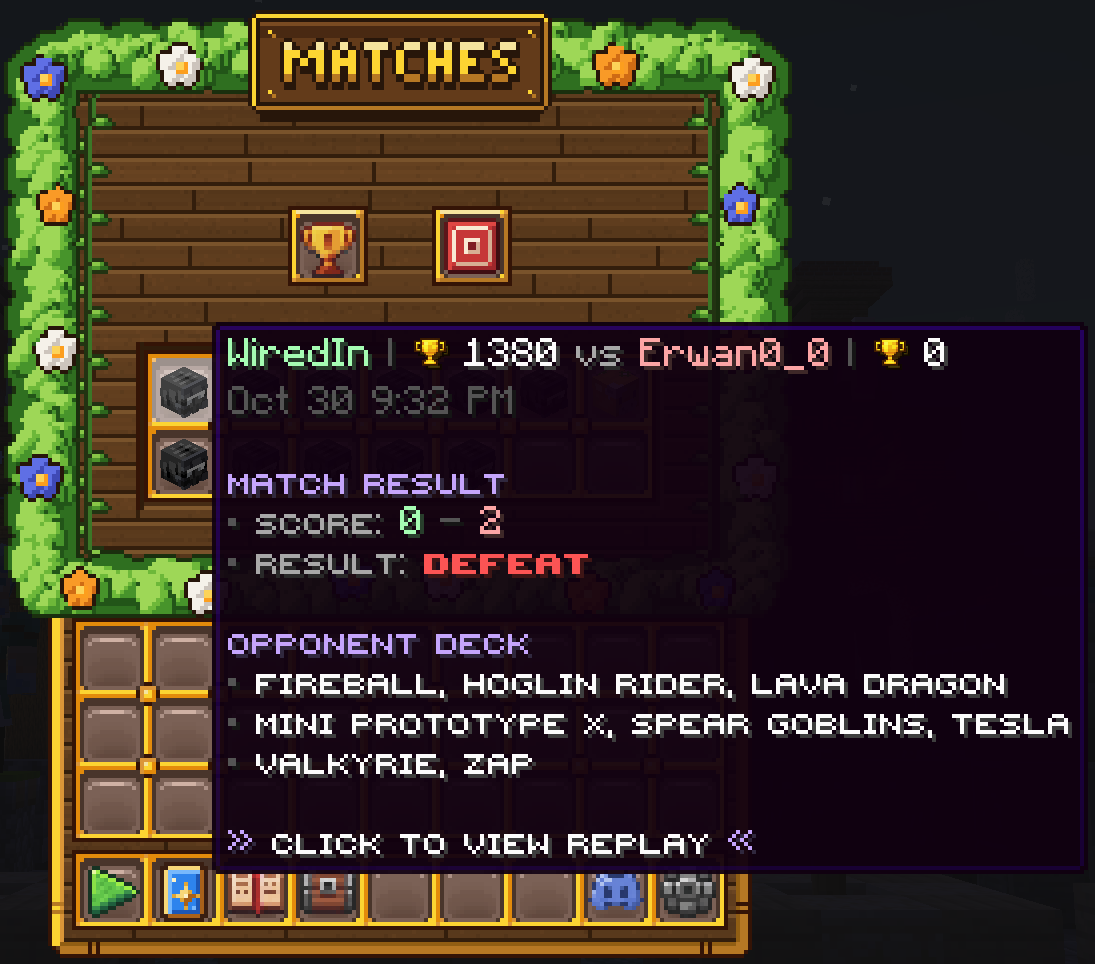
You can replay up to your last 14 games. Hover a match to see the score, the result and your opponent's deck, then click it to watch the replay.
Replay Controls
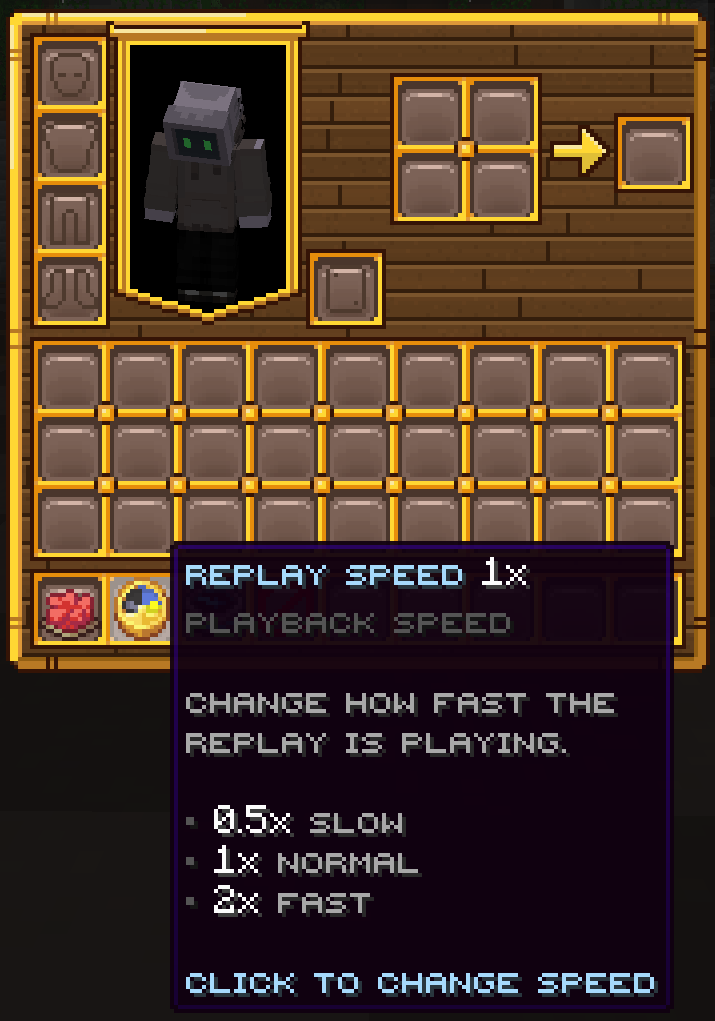
While a replay is playing, use the controls at the bottom of your inventory:
- Pause: pause the replay where it is.
- Replay Speed: switch between 0.5x (slow), 1x (normal) and 2x (fast).
- Restart: go back to the beginning and watch the match again.
- Exit: stop watching and go back to the match menu.
Learn From Your Replays
Slow a replay down to see exactly what happened in a big push, or rewatch a loss to spot what your opponent did and how you could counter it next time.
