
Collection
Browse every card, filter and sort your collection, and raise your Collection Level.
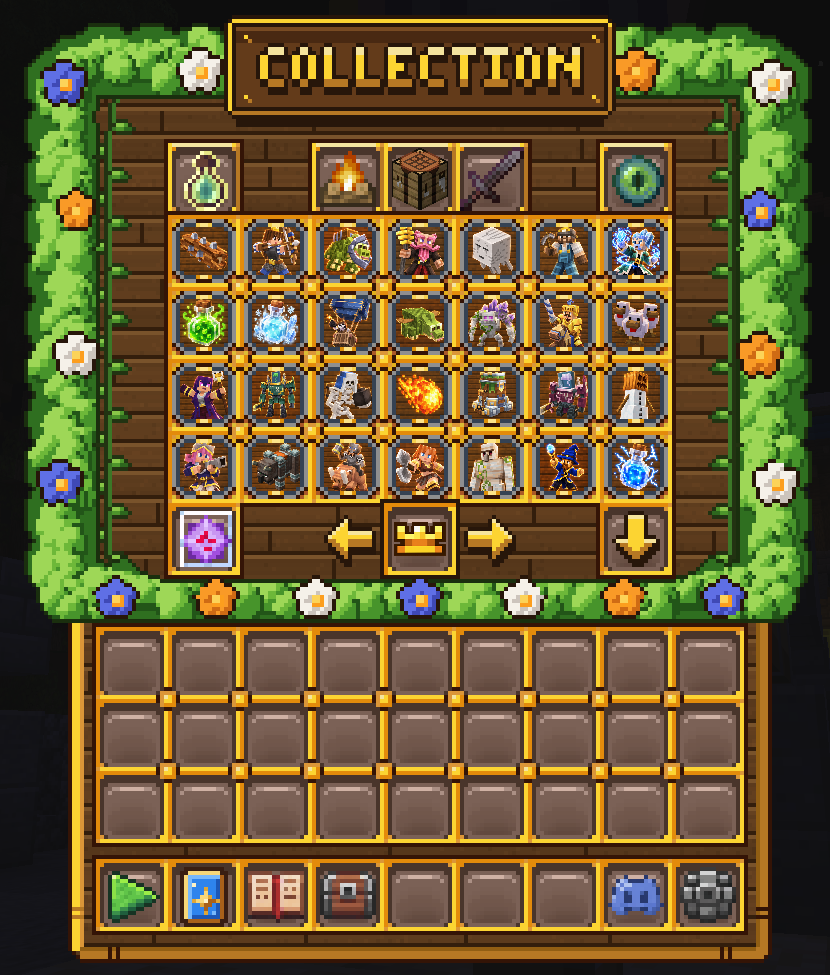
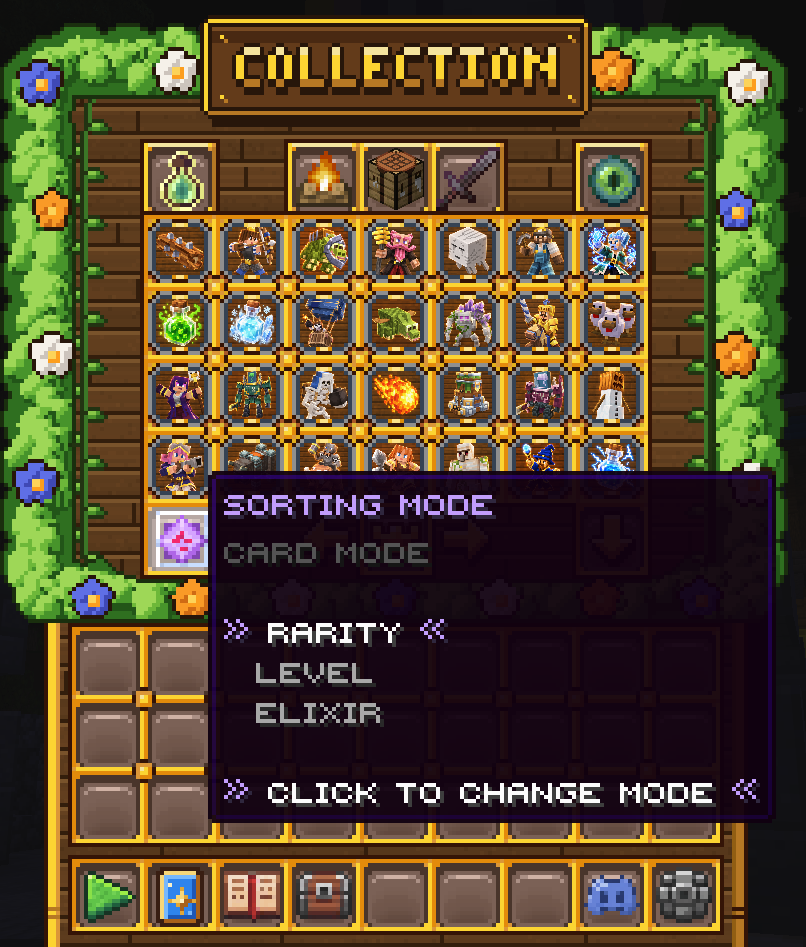
Your Collection shows every card in the game, including the ones you haven't unlocked yet. Open it with /collection.
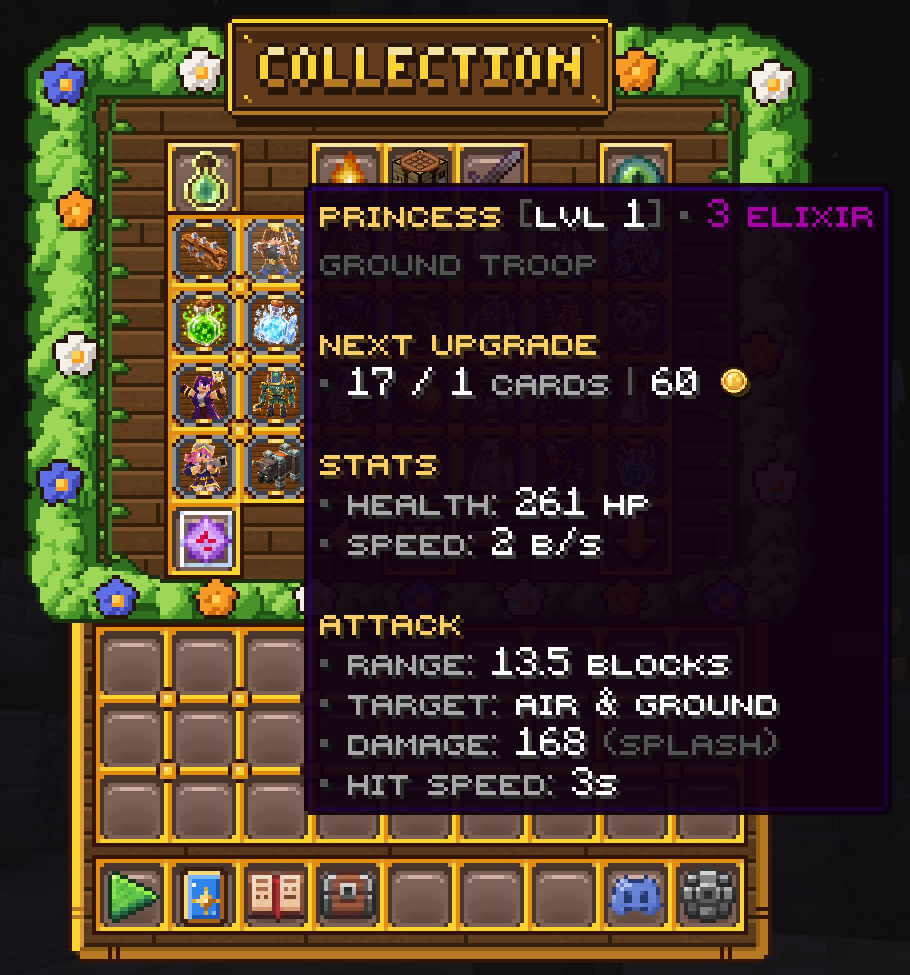
Hover any card to see its level, elixir cost, stats, and how many cards and coins its next upgrade needs. Right-click a card to open its Upgrade Card menu. See the Card Upgrades guide.
Filters
Use the buttons along the top to filter your cards. Click a filter to turn it on or off:
- Upgradeable: only cards you can upgrade right now.
- Unlocked: only cards you own.
- Troops, Buildings and Spells: only cards of that type.
Sorting
Change how your cards are sorted to make them easier to find:
- Sorting Mode (bottom left): sort by Rarity, Level or Elixir.
- Sort Order (bottom right): switch between high to low and low to high.
Use the arrows at the bottom to flip between pages.
Collection Level
Your Collection Level goes up every time you unlock a new card or upgrade one. Rarer cards are worth more:
- New Common card: +1
- New Rare card: +2
- New Epic card: +4
- New Legendary card: +8
- Any card upgrade: +1
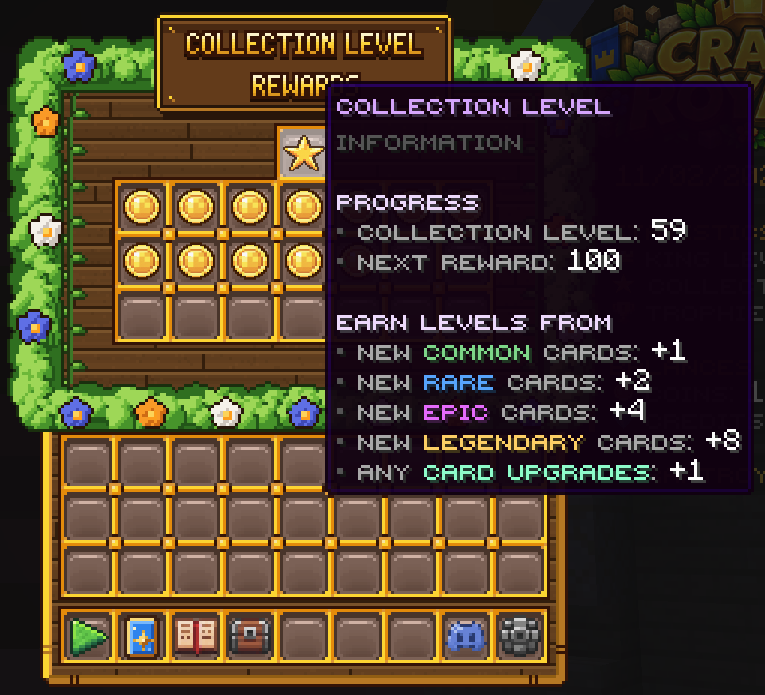
Collection Level has its own milestone rewards. See the Milestones guide. It also counts toward your King Level. Click the crown at the bottom of the Collection to check your progress, and see the King Level guide.
